Norauto : In-store e-Catalogue.
Finding a compatible part in store could require an adviser and leave customers waiting. For Norauto, I designed a vehicle-led touchscreen catalogue for independent or assisted use, connecting field research, UX/UI design and functional coordination.
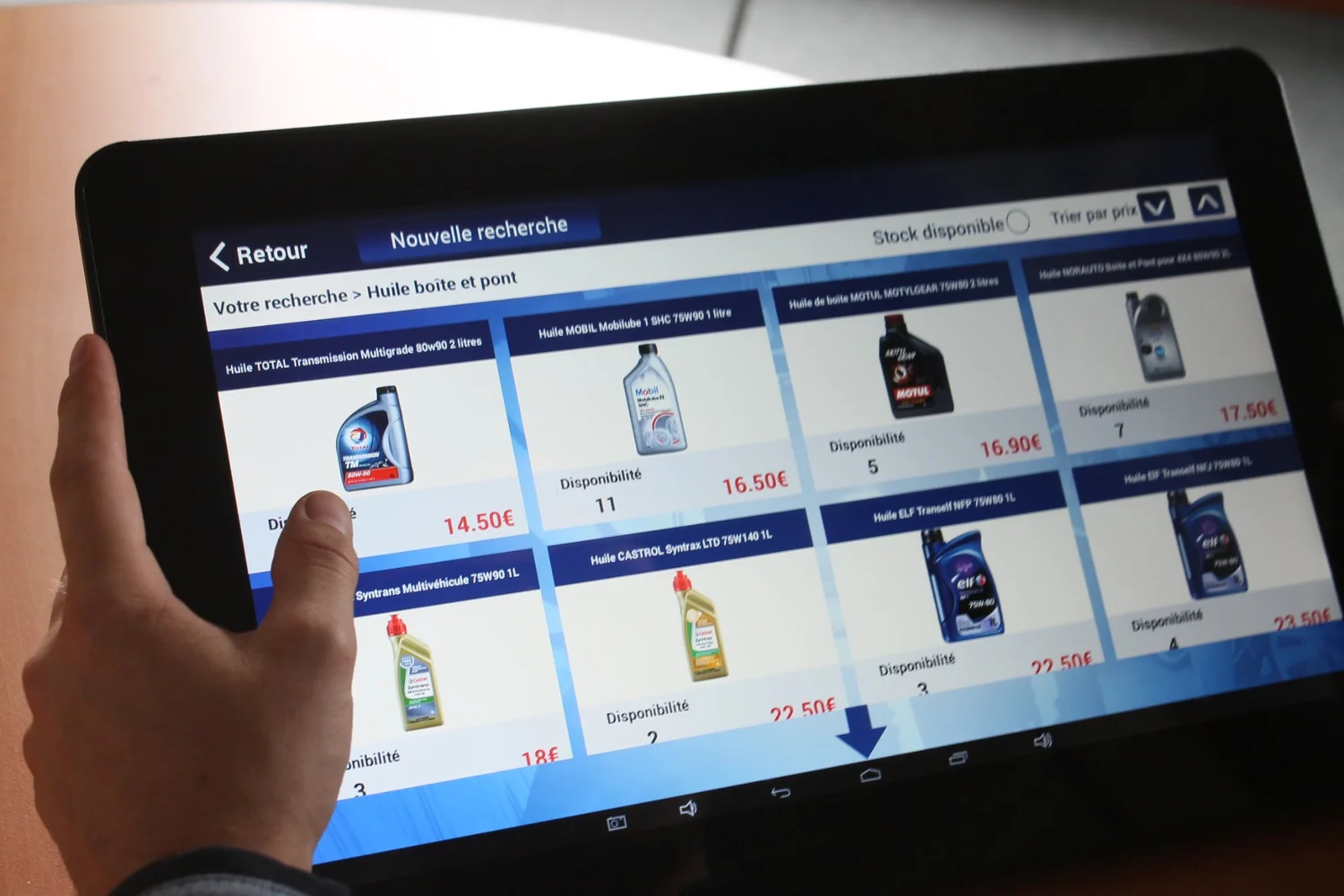
RETAIL UX · 2014 2014
- Kiosks per centre
- 9
- Aisle-based deployment confirmed from my project experience.
- Waiting time
- −50%
- Reduction observed in store, based on my experience on the project.
- Two modes of use
- Self-service + advice
- The same journey supports independent and assisted use.
Result from my account of the project; the scope and measurement method remain to be specified.
Use the vehicle to make a complex catalogue understandable.
A simple need, a complex catalogue
Customers know what they need to replace, but not always which reference fits their vehicle. When advisers are busy, uncertainty turns into waiting. The challenge was to support independent discovery while keeping specialist assistance available.
Start on the shop floor
In-store observation and discussions with staff informed two personas and a customer journey. They exposed the gap between a customer’s need, product discovery and adviser availability. The kiosk needed to resolve compatibility uncertainty, rather than merely display products.
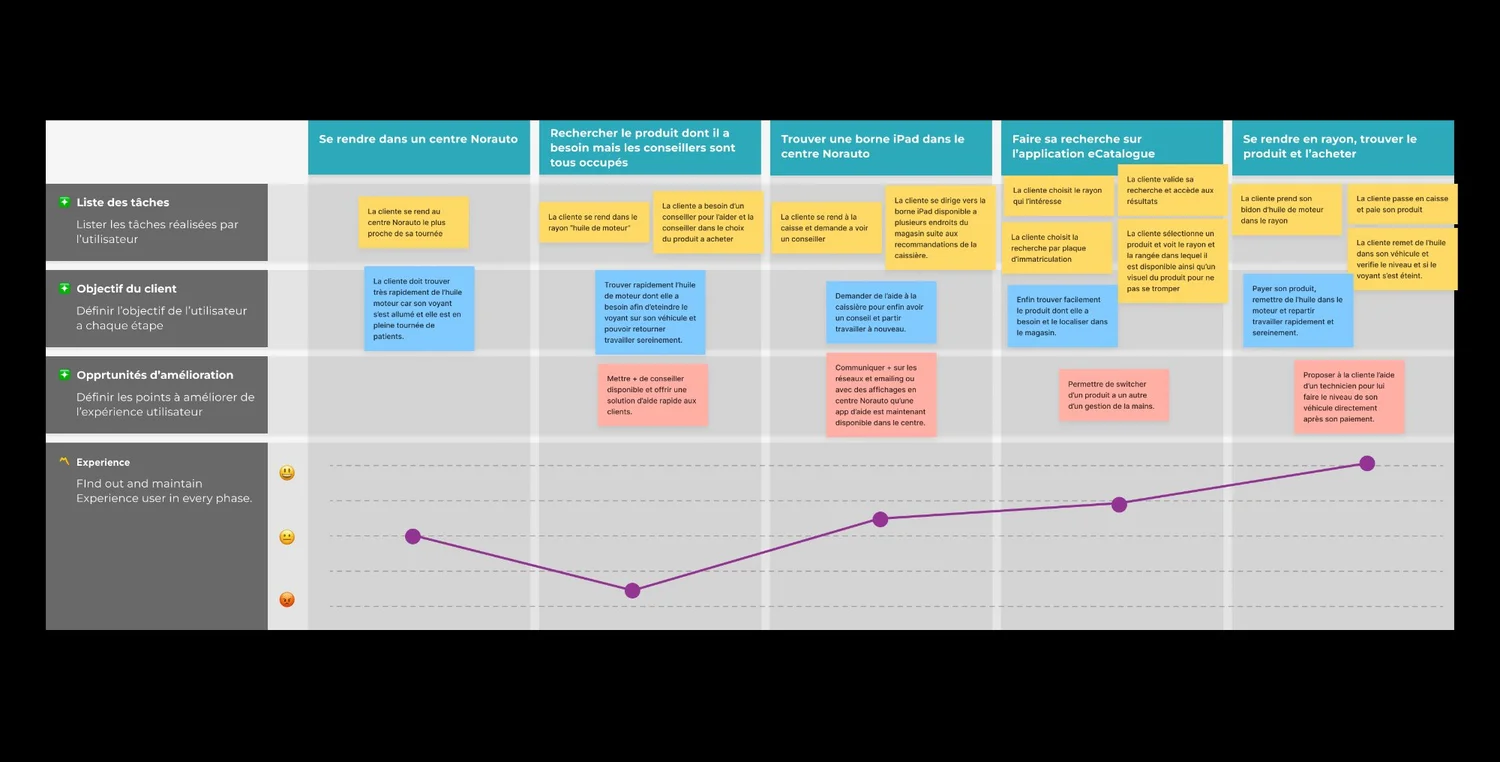
From in-store need to product identification: locate friction before designing screens.
Let the vehicle narrow the choice
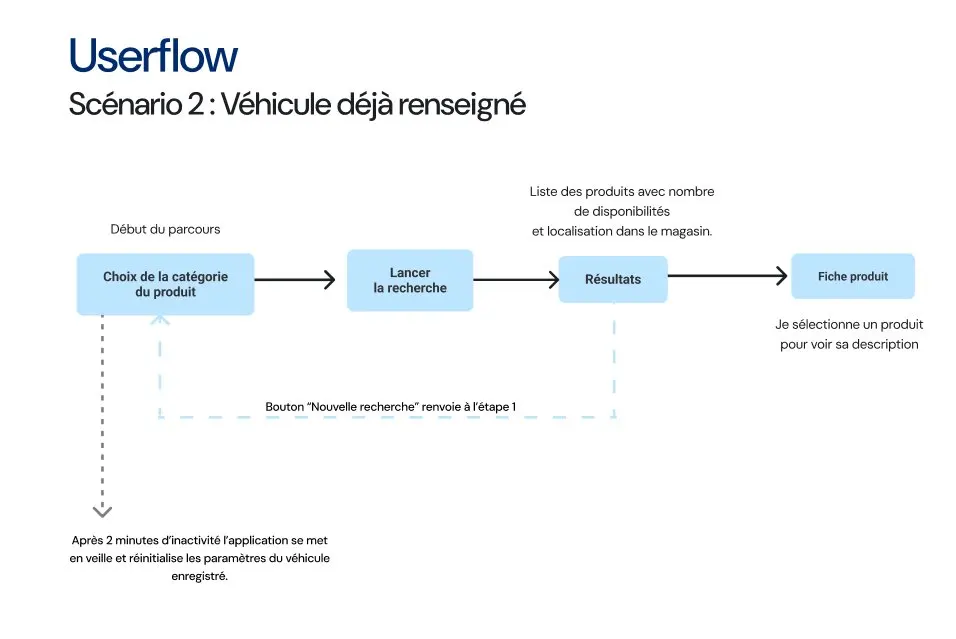
I structured identification by registration or model, followed by compatible results with stock and aisle information. Separate flows cover a first visit and an already-entered vehicle, avoiding unnecessary repeated input.
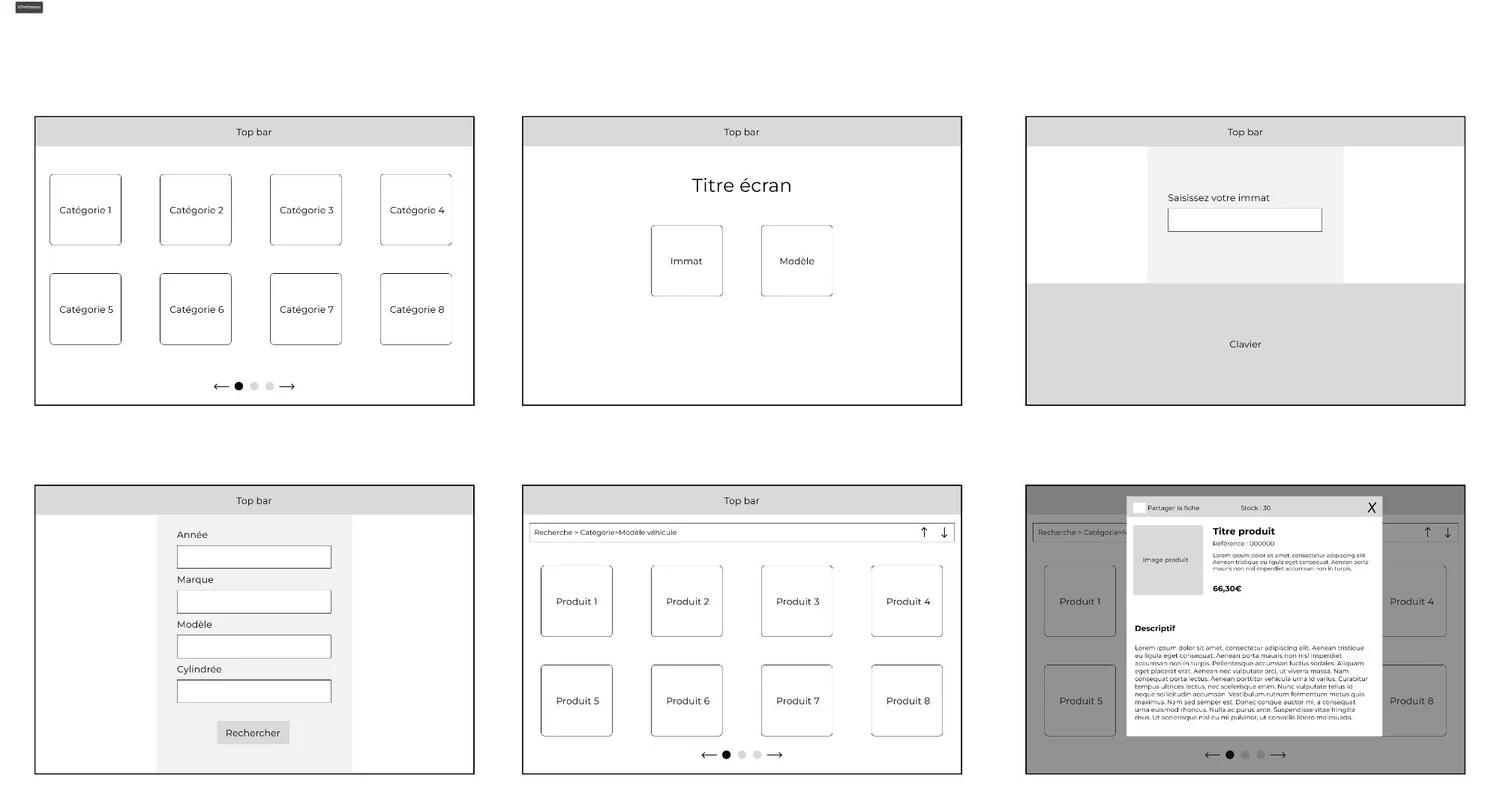
Categories, vehicle, results and product details turn compatibility into a screen sequence.
Design for a public terminal and its operators
Large touch targets, clear navigation and contrast support standing, untrained users. A two-minute inactivity reset protects the next session. A back-office assigns kiosks to departments; emailing a product sheet lets the customer keep the information.
Support implementation in stores
At Wazapp, my contribution connected field research, UX/UI journeys, interaction design and functional coordination with developers. Nine kiosks per centre distribute access across aisles. The key design decision was to support two situations with one interface: independent browsing and a search assisted by an adviser.
Key design decisions.
Selected visuals.
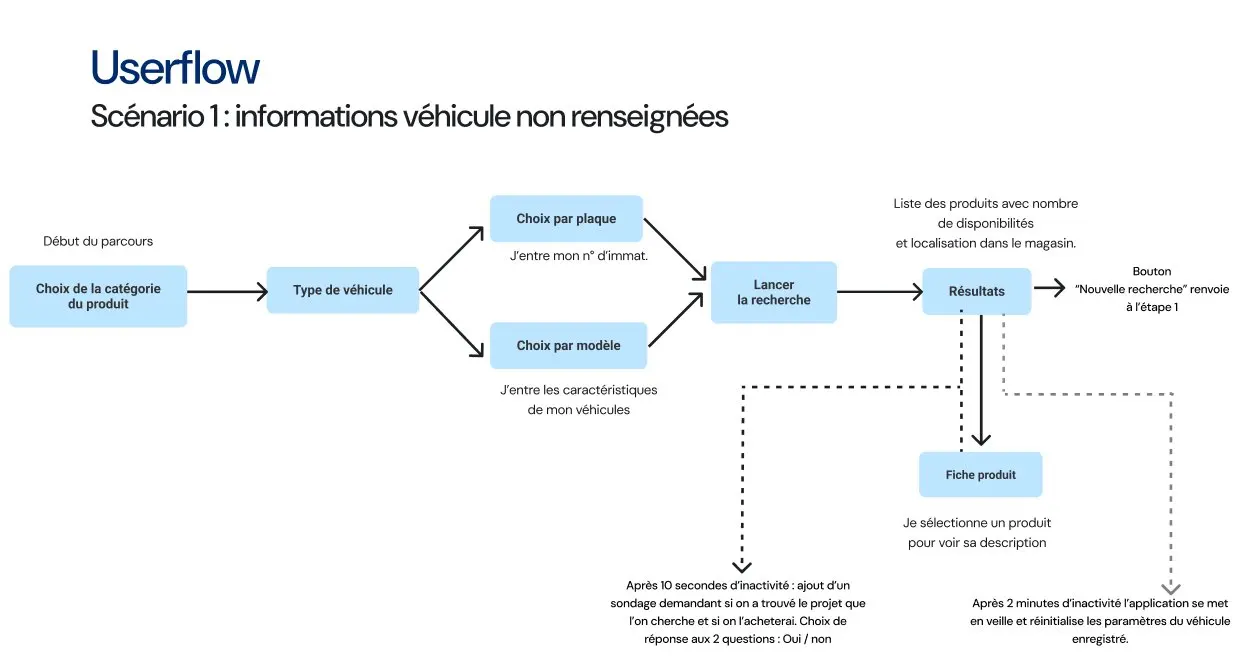
What this project demonstrates.
A vehicle-led search helps customers find compatible parts independently or with an adviser. My project experience reports a 50% reduction in in-store waiting time; this work connects design decisions with real operational constraints.
Have a product challenge in mind?
Let’s discuss your needs, from UX/UI design to joining your team or creating a product.